
MT5 Indicator : Automatic detection of 14 patterns!


Just the other day I was reading the MQL5 documentation and learned that MT5 supports multi-currency backtesting.
Multi-Currency Testing The Strategy Tester allows us to perform a testing of strategies, trading on multiple symbols. Such EAs are conventionally referred to as multi-currency Expert Advisors, since originally, in the previous platforms, testing was performed only for a single symbol. Strategy Tester of the MetaTrader 5 terminal, we can model trading for all of the available symbols.The Strategy Tester allows you to run tests on strategies that deal with multiple symbols. Such EAs are usually referred to as Multi-Currency Expert Advisors because on earlier platforms, the test was originally run for only one symbol.
The Strategy Tester in the MetaTrader 5 terminal can model trades for all available symbols).
I had tried this with MT4 in the past and could not do it, so I did not consider it again, but when I was reading the documentation for another matter, I came across the above description.
I was reading the documentation for another case when I saw the above description.
A common way to trade on multiple stocks at the same time is to portfolioize.
By placing multiple EAs and trading on different stocks, you can trade against multiple stocks.
We have examined whether there are advantages to trading multiple stocks with a single EA versus that common method.
Managing only one EA reduces the complexity of the overall system. This facilitates system maintenance and troubleshooting. Also, with only one EA in operation, PC resources will generally be consumed less. There is an advantage to having a single EA when a large number of stocks are traded simultaneously.
The range of information that can be taken into account is broadened by comprehensively considering the behavior of other issues, the number of positions and profit/loss of other issues being traded, and determining whether a new trade should be made.
At first glance, such a process may seem to be possible with multiple EAs, but in the process of developing and quality assuring EAs, optimization cannot be performed while also taking into account the performance of other EAs.
This is a big advantage because an EA released without quality assurance is useless, and this process can be realized in a single EA.
Pair trading is a strategy of finding two strongly correlated assets and buying one and selling the other. Profits can be made by taking a position when the correlation deviates and closing the position when the correlation returns to normal levels. This type of trading technique is also called arbitrage or arbitrage. Since the correlation coefficient fluctuates over time, it is important to monitor its changes using time series analysis. By watching the variation of the correlation coefficient, it is possible to develop timely trading strategies in response to market changes.
By going long an asset with a high correlation coefficient and simultaneously shorting another asset with a high correlation coefficient, you can compensate for losses due to price fluctuations in one asset with price fluctuations in the other asset. By properly utilizing these strategies, MT5's Correlation Coefficient Indicator is a powerful tool that will make your trading more efficient and less risky. Each strategy should be used according to its characteristics and objectives, so it is important to choose the best strategy based on your investment goals and risk tolerance. You can also use a combination of these multiple strategies.
This time, I created an EA for basket trading.
There are several indicators in the world that show the strength and weakness of currencies, but this EA follows the idea of "buy the strong currency and sell the weak currency," and it is based on the following logic: ・Order a batch of currency pairs related to the strong currency at a certain point in time ・When the total profit/loss of the batch reaches a certain condition, close the pairs in a single transaction.
Although we believe that some currency strength/weakness indicators are available free of charge, we procured the following indicator from MQL5.com for this project . I have procured the following indicator from MQL5.com. Advanced Currency Strength28 MT5 Advanced Currency Strength28 MT5 Advanced Currency Impulse with Alert MT5 This indicator provides signals for 8 currencies (USD, EUR, GBP, CHF, JPY, CAD, AUD, NZD) and 28 currency pairs ( 8 C 2 = 28).
This time, I will use only some of those signals and create trading rules based on my own prejudice.
(I would like to improve them if I have time)
If a currency is detected as a "strong currency," a pair related to that currency is ordered together. (In reality, the degree of strength/weakness is actually a function of the price. (In reality, there are also degrees of strength and weakness, which are subtly filtered.)
This is before minor adjustments, but a tremendous amount of orders are repeated! I heard that there is a dashboard for basket trading, but it is a process that cannot be executed by human hands. I think the ability to do this is one of the charms of automated trading. 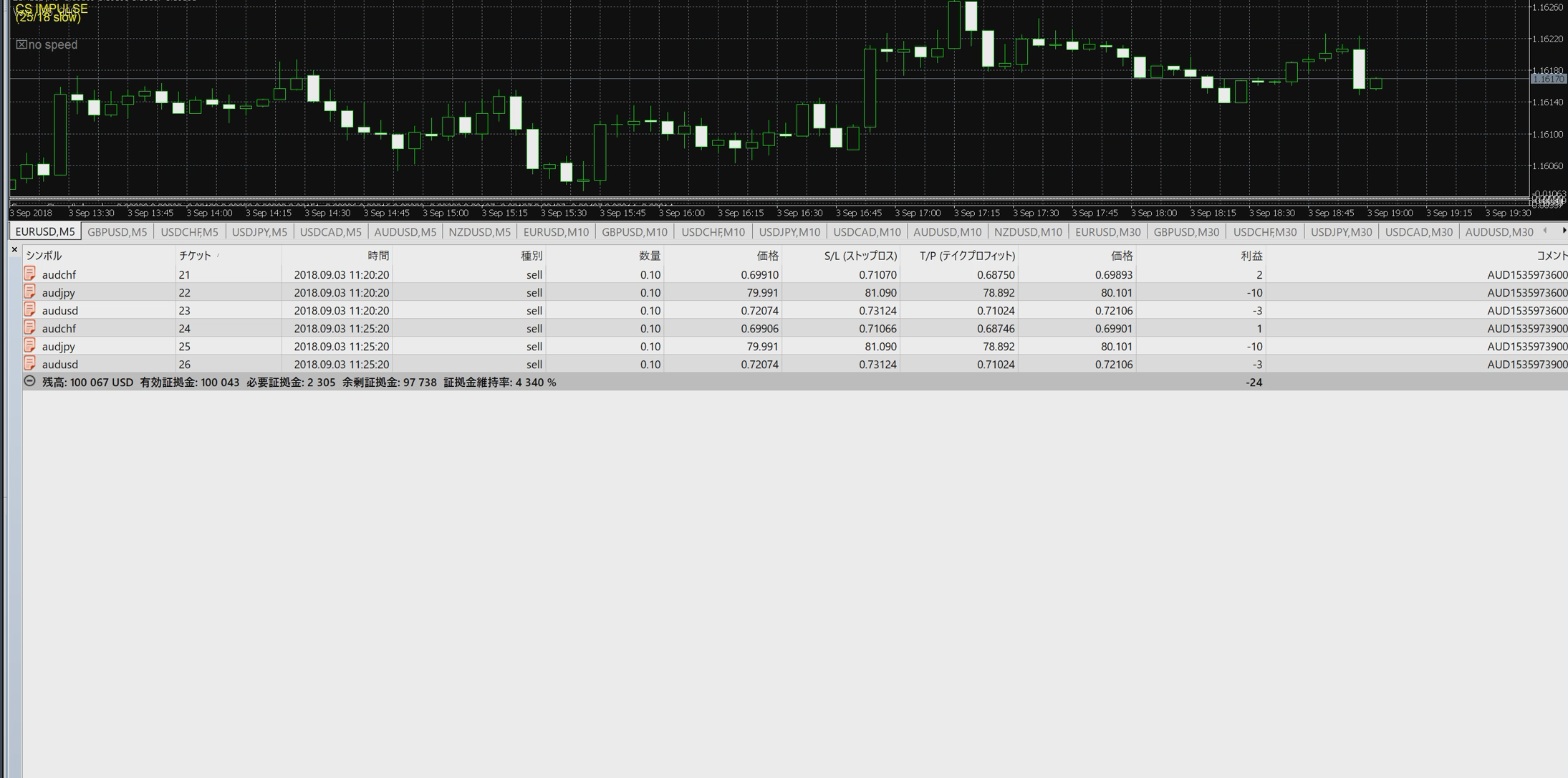
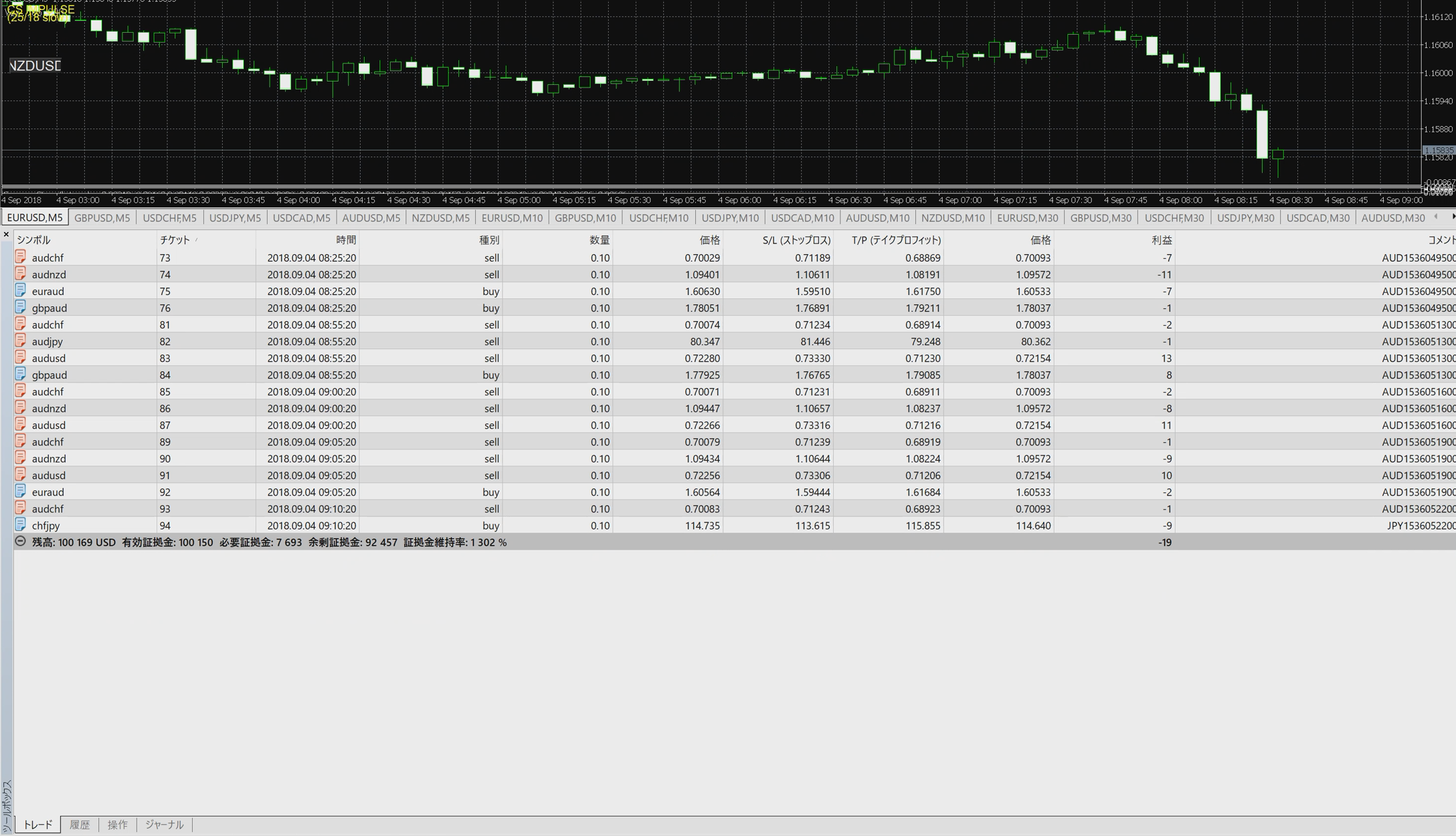
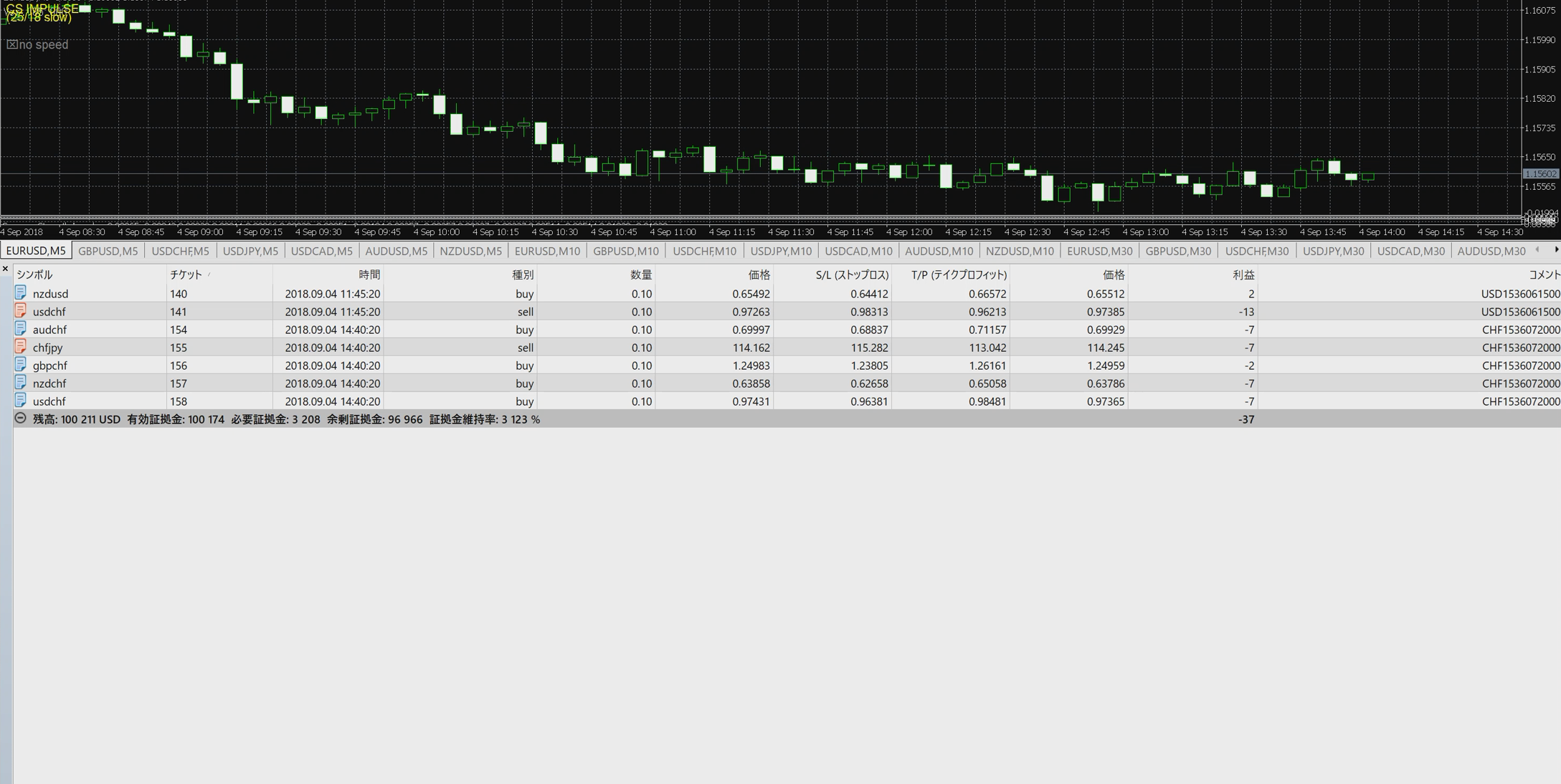
In the sample above, we once tried to trade ignoring the selection of stocks, but the selection of currency pairs is a very important factor at the stage of actual operation in a real account. When managing multiple currencies at the same time, if there is a strong correlation between the stocks, the investment may appear to be diversified, but may not be effective. To address this issue, the correlation coefficients between stocks can be viewed in time series to objectively assess whether there is a strong positive or negative correlation. MT5 does not provide a way to view correlation coefficients as a standard feature, but a custom indicator will allow you to do so. Please see the following article for an overview.
In terms of operating multiple stocks simultaneously, it is very effective not only to use a single EA to trade a batch of stocks, but also to deploy multiple EAs to trade against different stocks. The need for portfolioization is also summarized in another article, which can be found here.
I could see that the ability to trade multiple currencies from a single EA has many advantages, and I could also confirm once again that there are advantages to using MT5, which MT4 cannot do. Since the use of useful tools can lead to improved investment performance, we should actively develop the habit of using new tools.
See the following article for an overview of HF copying and how to use it. Free EAs are available for HFM (Premium account) or XM (Standard account). Please click the link below to open an account. *Depending on conditions, low spread accounts may be available. The following screen will open. Please fill in the required information and contact us. After you click the "Submit" button, you will receive the following auto-reply e-mail to the e-mail address you entered. If you already have a VPS environment, you can use it as is. Domestic brokerage firms are at risk of additional fees, and MT5 is not available at most brokerage firms. Only foreign brokerage firms are subject to the zero-cut system, which allows you to take no more risk than the amount of your deposit.This will be the case. and many other benefits. When using MT5, please consider opening an account at an overseas brokerage firm at the same time. As a benefit to those who use the EA in their real accounts, we offer the use of our originally developed indicator free of charge. With automated trading tools, the trading itself can be done continuously by the program according to the rules, but it is the role of humans to determine which EAs to start/stop and when to stop them. Since analysis of the market environment is sometimes necessary, we encourage you to use these free indicators to help you realize solid investments. 【PR】 HFM is running an event where you can win great prizes if you reach a target trading volume set according to your trading volume! The event is open until 30/08/2024! Enter as soon as possible! 【Notice】New EA Selene has been released!
EA is available free of charge!
Usage 1: Trade without the need for a VPS using HF Copy
Usage Method 2: Prepare a VPS and deploy EA
Step 1. Create an MT5 account
Please contact us for details. Step 2. Application to use automated trading tools

If you do not receive it, there is a possibility that you typed the address incorrectly or it was sent to your spam mail.
If you have checked your spam mail and still have not received it, please reconfirm your e-mail address and contact us again. 
Step 3. Sign up for a VPS
There are several ways to create a new VPS environment, but if you are not comfortable with building your own VPS (it seems difficult or you do not know how to manage it), we recommend that you use a VPS service. If you want to use MT5, I recommend an overseas brokerage firm!
However, this does not mean that any brokerage firm will do.
by choosing a major international brokerage firm, Special offers available for EA users only!
indicatorVisualize economic indicators with MT5 indicator! Time series display and country comparison indicatorPrice action determination based on zigzag
 indicatorAutomatic generation of trend lines
 indicator3x faster analysis! Fibonacci Retracement Auto-Generating Indicator
 indicatorUsing RSI Divergence in MT5! Three effective strategies


