
MT5 Indicator : Automatic detection of 14 patterns!


In the last issue, we introduced the MT4 version of the indicator, and this time we will introduce the MT5 version.
The way to manage indicator buffers has changed so much that I struggled to get a feel for it. https://www. mql5.com/en/code/ There is a lot of sample code above that you can use to learn how to write.
It is one way to learn how to migrate from scratch, but I recommend you to get used to the MQL5 syntax in a short time by getting an image of what works correctly first.
There were also several samples for Multi TimeFrame support.
In this case, I used MultiSilverTrend_x10 as a reference.
The way the indicators are shown is very beautiful and instructive.
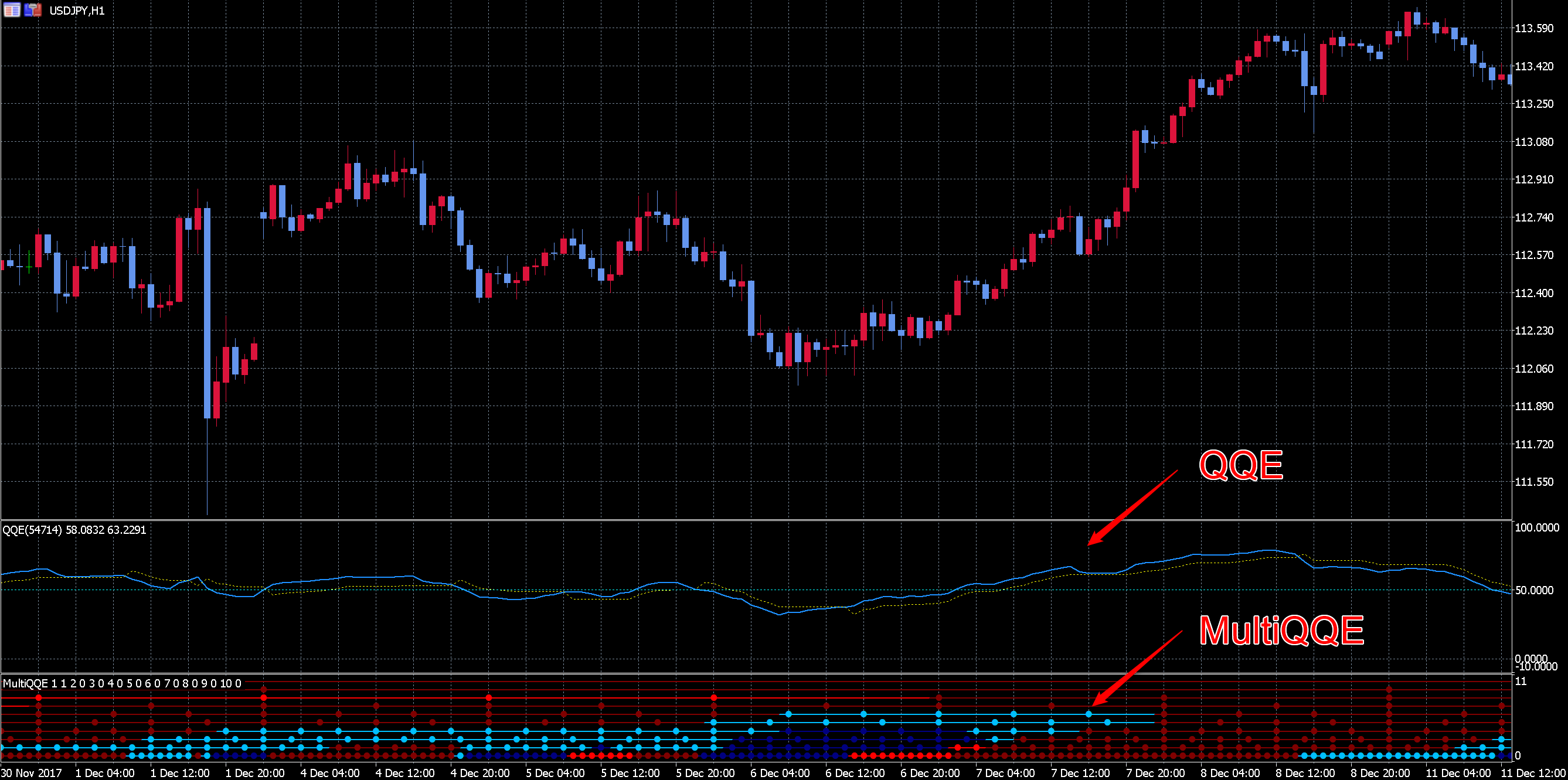
There are 10 lines, each pointing to a different time leg.
From the bottom, 1-hour, 2-hour, 3-hour, 4-hour, 6-hour, 8-hour, 12-hour, daily, weekly, and monthly.
The four colors are as follows.
| Red (bright) | RSI value less than 50 and actual > dashed line |
| Red (dark) | RSI value 50 or more and actual > dashed line |
| Blue (dark) | RSI value below 50 and actual <dashed line |
| Blue (Light) | RSI value greater than 50 and prior to <dashed line |
#property indicator_type1 DRAW_COLOR_LINE
#property indicator_color1 clrDeepSkyBlue, clrNavy, clrMaroon, clrRed
#property indicator_style1 STYLE_SOLID
#property indicator_width1 2
#property indicator_label1 "Signal Line 1
Multiple color codes can be passed to indicator_color, which results in the following color specification screen. 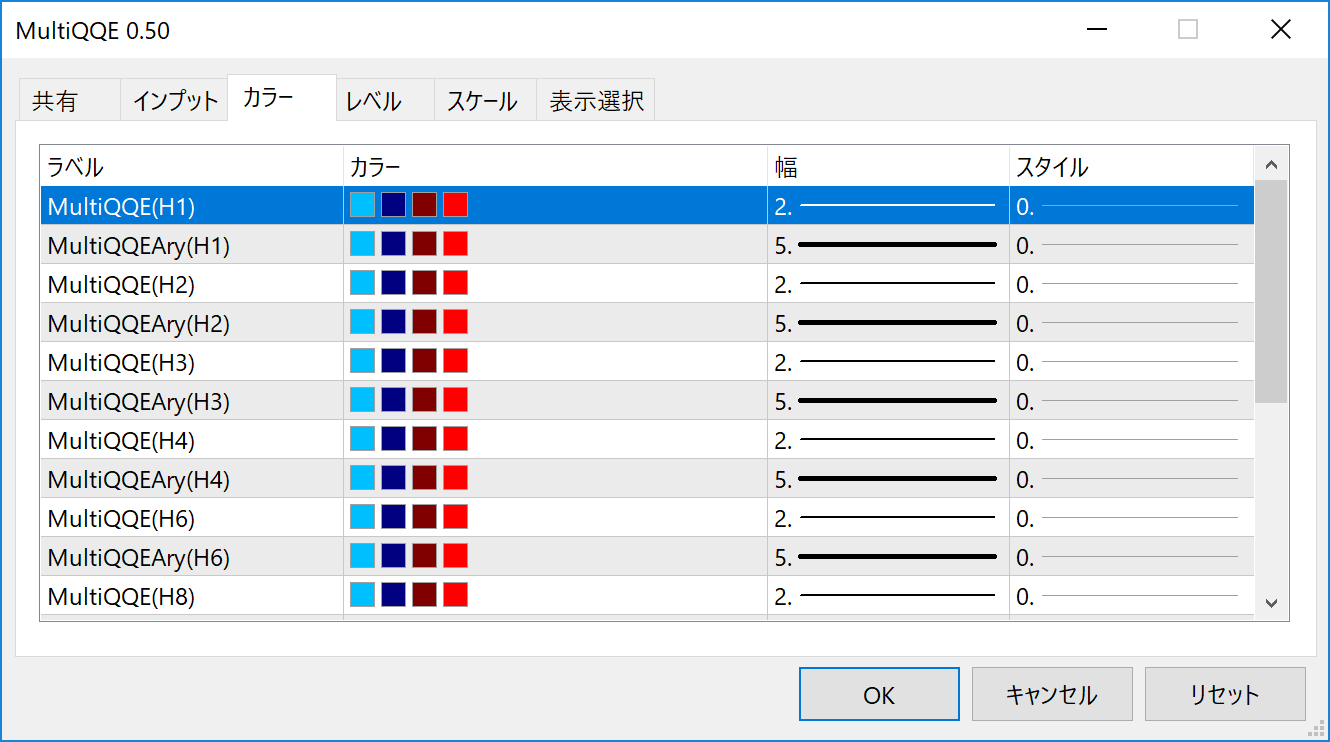
SetIndexBuffer(number,ind_color_buffer,INDICATOR_COLOR_INDEX);By passing INDICATOR_COLOR_INDEX as the third argument of SetIndexBuffer, the indicator color can be specified for each foot.
         if(main_qqe_signal[0]==1)
           {
            if(main_rsi[0]<50){
               //買シグナル(強)
               ind[number].m_color_line_buffer[bar]= 3;
               ind[number].m_color_ary_buffer[bar] = 3;
            } else{
               //買シグナル(弱)
               ind[number].m_color_line_buffer[bar]= 2;
               ind[number].m_color_ary_buffer[bar] = 2;
            }
         } else {
            if(main_rsi[0]<50){
               //売シグナル(弱)
               ind[number].m_color_line_buffer[bar]= 1;
               ind[number].m_color_ary_buffer[bar] = 1;
            } else{
               //売シグナル(強)
               ind[number].m_color_line_buffer[bar]= 0;
               ind[number].m_color_ary_buffer[bar] = 0;
              }
           }
The colors are selected by setting the numbers 0, 1, 2, and .... in the order specified in #property indicator_color
The color is selected by setting the buffer with the numbers "0, 1, 2, " in the order specified by #property indicator_color.
It took some time to learn at first, but once I understood the logic, the coding was simpler and more expressive than in MT4.
Just the other day, the latest version of MT5 was released, and it was announced that execution speed has been improved and MT4-like functions have been added.
While it is hard to keep up with the constant changes in MT5 coding practices, I also realize that the benefits we can enjoy are growing.


