
Identifying Trend Momentum! Custom BW-ZoneTrade Indicator Utilization


In order to reduce the waiting time for back and forward tests, tuning of the program itself and reduction of the number of verifications by genetic algorithms are necessary, but at the time of MT4, only one CPU core was used, and the processing speed could not be increased even if a high-spec PC was prepared.
There is a method to duplicate multiple MT4 terminal.exe files in different folders and execute them simultaneously to verify different EAs, time frames, and time periods, but even if you can increase the amount of processing per unit time, you cannot finish the back test of the target EA quickly.
Especially in data analysis, the OODA loop and agile frameworks are said to be optimal, and in EA development, we would like to find the optimal solution by repeating improvements many times a day. In reality, however, when an EA is heavy processing, we sometimes say, "Let's back-test it for a week and check it again next weekend," and when we look at it again next week, we may start wondering "Why did we choose this specification? And then, when you look at it again next week, you may start wondering, "Why did we choose this specification?
MT5 has the following features to speed up the process
MT4 can only use one CPU in the application, so backtest optimization takes time no matter how hard you try.
However, MT5 supports multi-threading This means that the optimization process can take full advantage of the CPU's performance, allowing for faster optimization.
In MT5's Strategy Tester, there is a tab called "Agents. 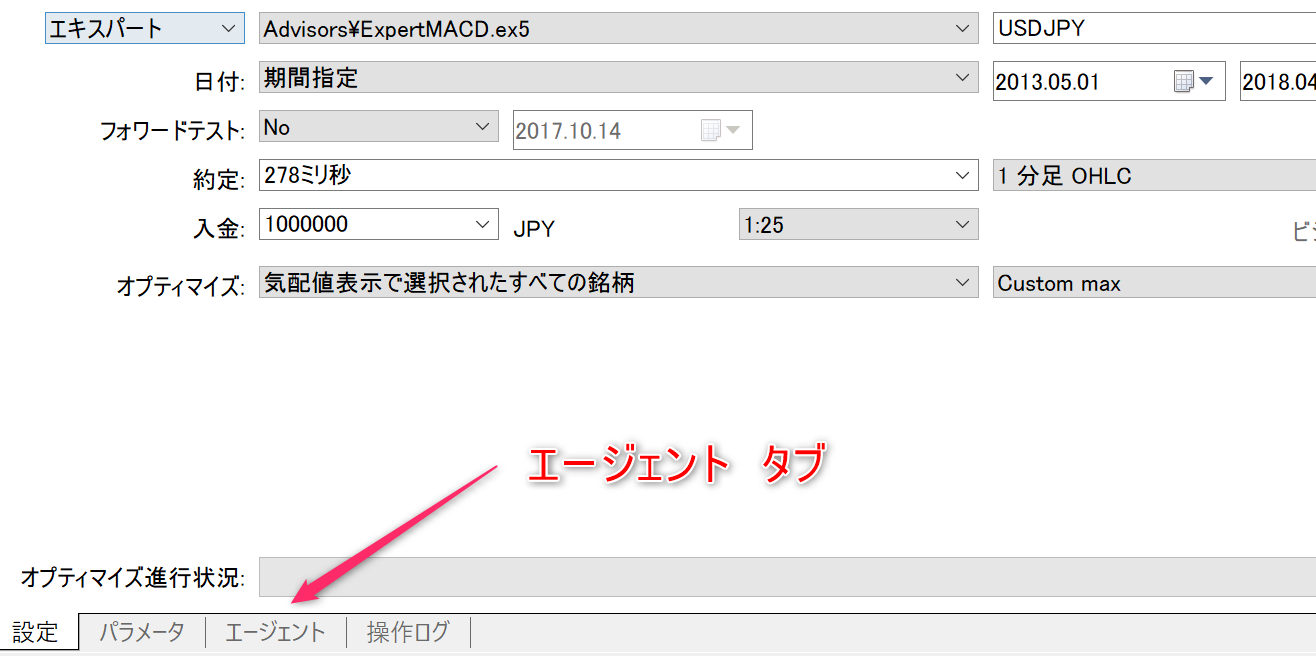
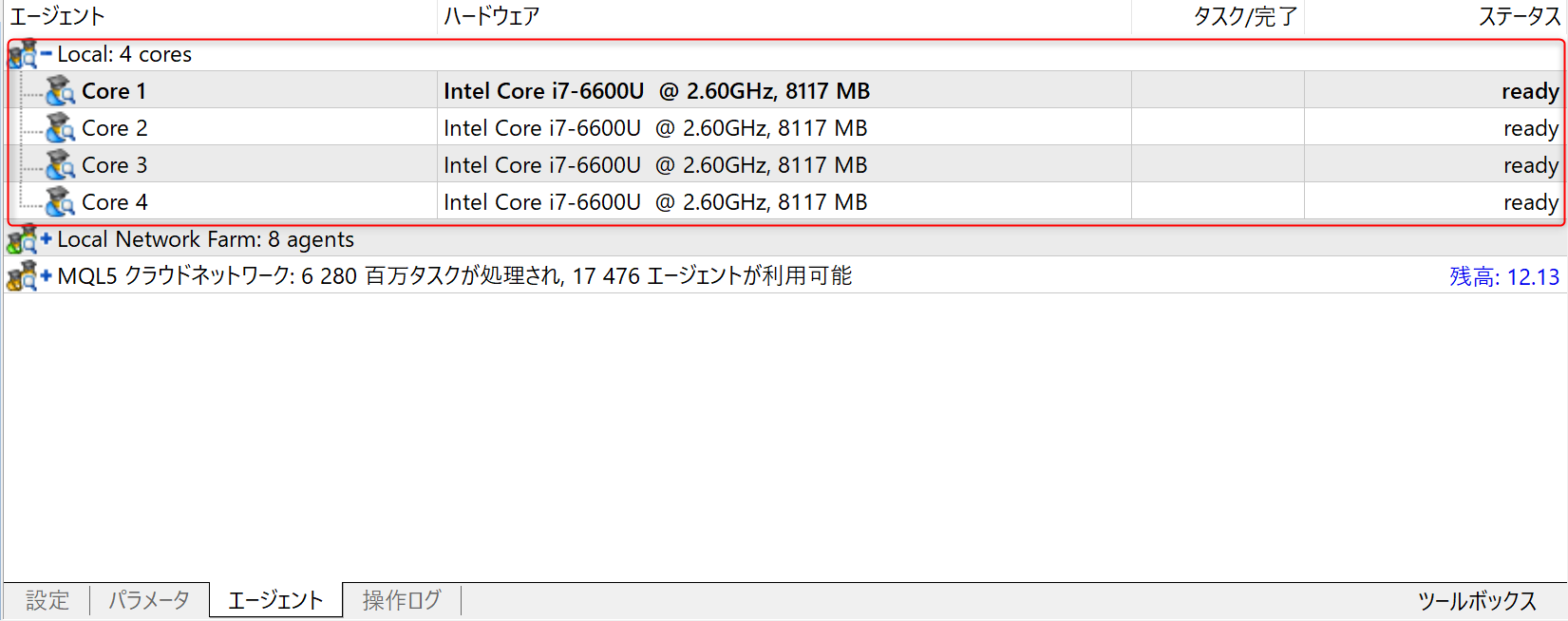 The "Local" part is the CPU cores that your own PC has.
You can allocate all of the CPU, or only a portion of it, to speed up optimization while performing other tasks.
If there are PCs with the MT5 Strategy Tester installed in the same local network, the process can be executed on multiple PCs in parallel.


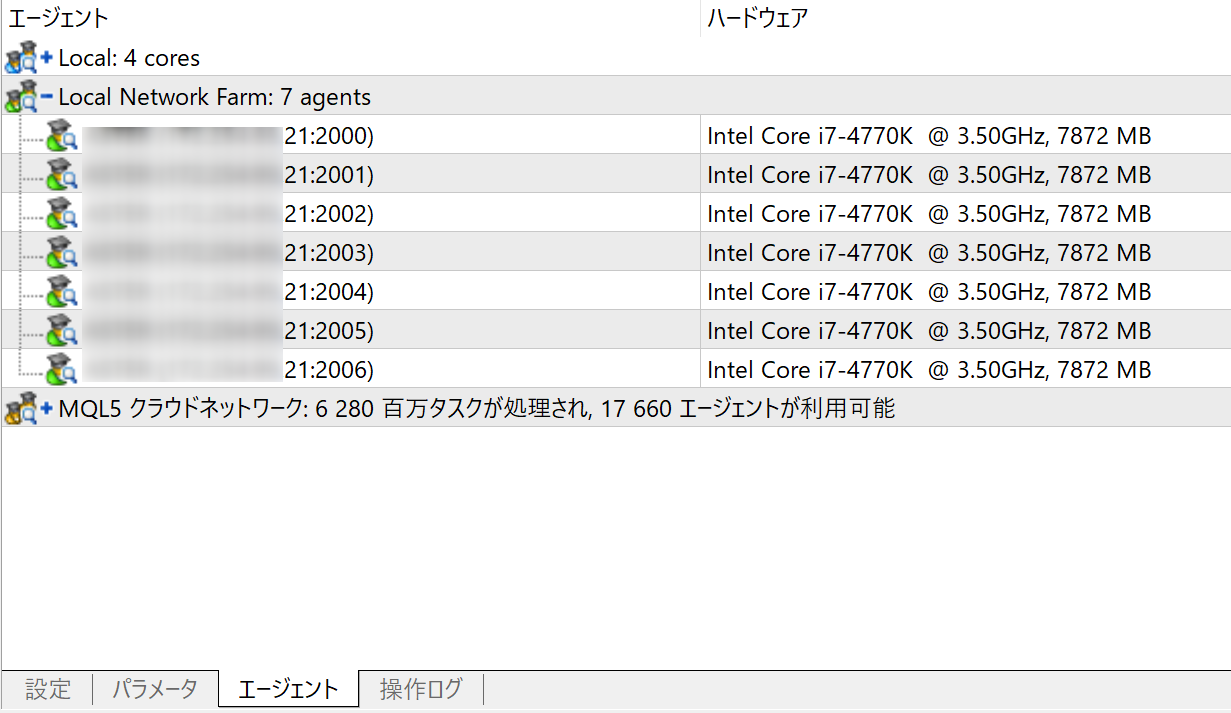

 Result after about 1 minute of execution. Although there is a difference in processing performance per core, it is about 20 times faster!
| Target CPU | Number of cores | Number of processes |
|---|---|---|
| Core 1 only | Core 1 | 7 cases |
| Entire local network | 11 cores | 138 |
My 5 year old workstation is a Core i7-4770K, but it is much faster than my recently purchased laptop (first generation Surfacebook ) due to its higher clock speed and turbo boost ON.
Even if you do not have ample resources on your local network, you can expect to increase speed by using a cloud network.
Although costly, it is an attractive way to perform a great number of optimizations in a short period of time.
Advantages include built-in forward testing by default, easy preparation of historical data, ability to add custom stocks
, etc.
Since there are tools that copy trading results on MT5 to MT4, building EAs on the MT5 side has become quite realistic, don't you think?
There was a lot of stress in the MT4 environment, so I hope that the transition to MT5 will progress.
Indicators are becoming more expressive.
MT5 multi-process backtesting + high-spec PC + fully automated process was built to automate a large amount of backtesting.
In MT4, when a single EA was used to trade in multiple currencies, it was not possible to trade in currencies other than the currency pair in which the trade was executed.
It is necessary to create an account with a brokerage firm that supports MT5. Since the number of candidates for domestic brokerage firms is limited, we recommend that you choose an overseas brokerage firm.
Although many people may have a sense of resistance when they hear the word "overseas brokerage firm," if you correctly understand the services and select the appropriate entity, you will not be involved in any trouble.
In addition, since you can trade under more favorable conditions than with domestic firms, overseas securities firms offer rather better conditions for safe trading.
For an overview of overseas brokerage firms, please refer to the articles on this site related to overseas FX
from various perspectives. If you have any concerns about overseas brokerage firms, please feel free to refer to the articles on this site as well.
See the following article for an overview of HF copying and how to use it. Free EAs are available for HFM (Premium account) or XM (Standard account). Please click the link below to open an account. *Depending on conditions, low spread accounts may be available. The following screen will open. Please fill in the required information and contact us. After you click the "Submit" button, you will receive the following auto-reply e-mail to the e-mail address you entered. If you already have a VPS environment, you can use it as is. Domestic brokerage firms are at risk of additional fees, and MT5 is not available at most brokerage firms. Only foreign brokerage firms are subject to the zero-cut system, which allows you to take no more risk than the amount of your deposit.This will be the case. and many other benefits. When using MT5, please consider opening an account at an overseas brokerage firm at the same time. As a benefit to those who use the EA in their real accounts, we offer the use of our originally developed indicator free of charge. With automated trading tools, the trading itself can be done continuously by the program according to the rules, but it is the role of humans to determine which EAs to start/stop and when to stop them. Since analysis of the market environment is sometimes necessary, we encourage you to use these free indicators to help you realize solid investments. 【PR】 HFM is running an event where you can win great prizes if you reach a target trading volume set according to your trading volume! The event is open until 30/08/2024! Enter as soon as possible! 【Notice】New EA Selene has been released!
EA is available free of charge!
Usage 1: Trade without the need for a VPS using HF Copy
Usage Method 2: Prepare a VPS and deploy EA
Step 1. Create an MT5 account
Please contact us for details. Step 2. Application to use automated trading tools

If you do not receive it, there is a possibility that you typed the address incorrectly or it was sent to your spam mail.
If you have checked your spam mail and still have not received it, please reconfirm your e-mail address and contact us again. 
Step 3. Sign up for a VPS
There are several ways to create a new VPS environment, but if you are not comfortable with building your own VPS (it seems difficult or you do not know how to manage it), we recommend that you use a VPS service. If you want to use MT5, I recommend an overseas brokerage firm!
However, this does not mean that any brokerage firm will do.
by choosing a major international brokerage firm, Special offers available for EA users only!
indicatorVisualize economic indicators with MT5 indicator! Time series display and country comparison indicatorPrice action determination based on zigzag
 indicatorAutomatic generation of trend lines
 indicator3x faster analysis! Fibonacci Retracement Auto-Generating Indicator
 indicatorUsing RSI Divergence in MT5! Three effective strategies


