
MT5 Usage Guide [A must-read for beginners] Thorough comparison of recommended FX brokerages!


Since HFM is an overseas brokerage firm, an overseas remittance is required to make a deposit.
Various deposit methods are available, but only three are compatible with Japanese yen: bank transfer, bitwallet, and BXONE.
In this paper, we will start with "bitwallet account deposit" and then move on to " myHF wallet account deposit The following is an explanation of the steps to
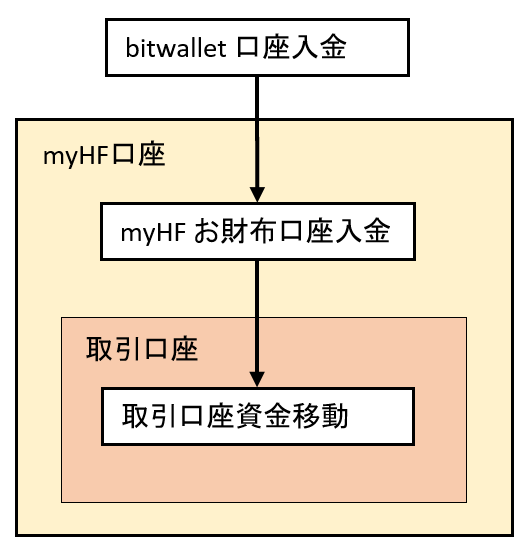
To deposit money into your Hotforex account via bitwallet, you must first create a bitwallet account.
Please refer to the official User's Guide for instructions.
How to open a new personal account
There are multiple ways to deposit money into bitwallet, but here we will be depositing by bank transfer.
Please refer to the official User's Guide for instructions. Deposit method by bank transfer
This is the process up to the point of bitwallet account deposit.

Enter the amount you wish to deposit from bitwallet to your HFM account, the email address of your bitwallet account, and click the "Deposit" button.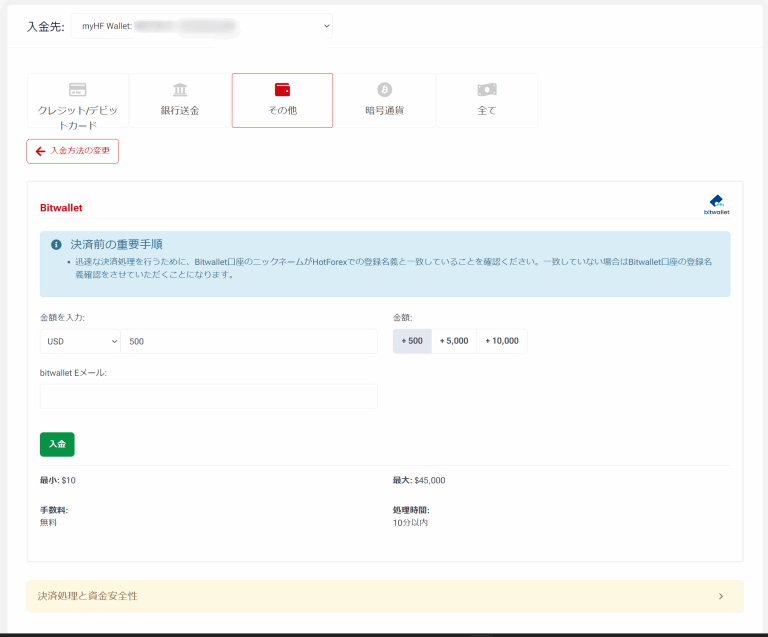
You will be redirected to the bitwallet screen, so log in.  After entering your password and checking the "I am not a robot" box, click the "Login" button.
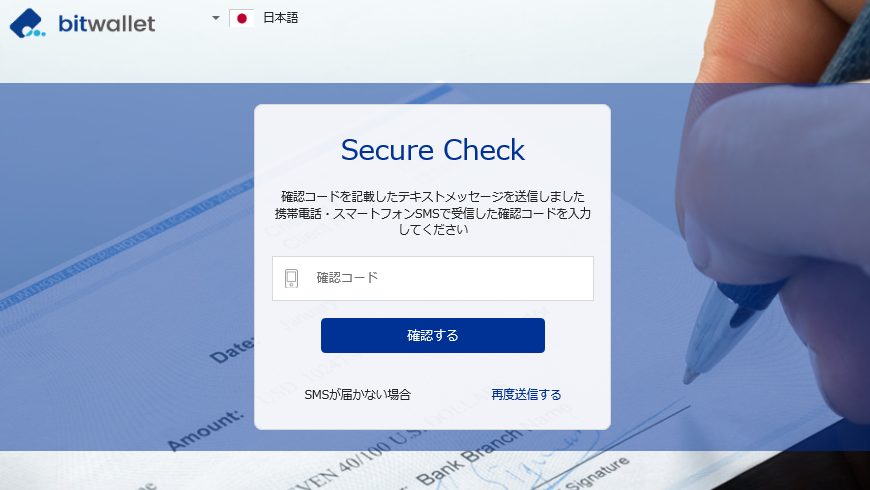 A confirmation code may be sent to the phone number registered with bitwallet.
Enter the confirmation code received on the SNS and press the "Confirm" button.
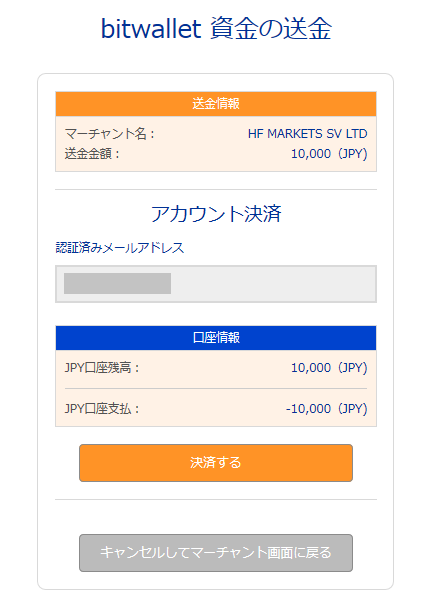 Details of the remittance from bitwallet will be displayed, confirm it and press the "Settle" button.
The remittance has been processed. Press the "Return to Merchant Screen" button.
  You will be returned to the Hotforex screen and a message will appear stating that the deposit has been made. You have now completed the deposit to your myHF wallet account.


